

01 / 02
dotnet-gitmoji: A Gitmoji CLI for the dotnet World
A .NET tool that brings the gitmoji commit convention to Git, with a Husky.Net-managed prepare-commit-msg hook for teams and an interactive client mode for personal workflows.
On this page
Project Description #
dotnet-gitmoji is a small .NET 10 tool that brings the gitmoji commit convention into a .NET workflow. You can install it globally for personal use or pin it in a repo’s local tool manifest for team use. From there you get two adoption paths: a prepare-commit-msg Git hook managed through Husky.Net, or dotnet-gitmoji commit as an interactive replacement for the native Git command. Either way, the tool prompts you for a gitmoji, lets you fuzzy-search the full list, and formats the final commit message.
The shape I care about most is the team workflow. When a repo commits .config/dotnet-tools.json, .husky/, and Directory.Build.targets, a teammate can clone it, run dotnet restore or open the solution in Visual Studio or Rider, and get the same gitmoji prompt on the next commit. That keeps the whole convention inside NuGet, MSBuild, and the .NET SDK instead of requiring Node.js just to share a commit hook.
Technologies Used #
| Layer | Choice | Why it is in the stack |
|---|---|---|
| Runtime | .NET 10 | Modern target with first-class global tool support and a stable System.Text.Json baseline. |
| Packaging | .NET tool | Ships through NuGet as dotnet-gitmoji, and works as either a shared local tool or a personal global install. |
| CLI framework | CliFx | Declarative command and option attributes, plays well with DI without extra ceremony. |
| Terminal UX | Spectre.Console | Handles selection prompts, live fuzzy pickers, and colored output. |
| Process invocation | CliWrap | Wraps every git and dotnet subprocess call with a typed, test-friendly API. |
| Composition | Microsoft.Extensions.DependencyInjection | Keeps services, validators, and commands wired through a single container. |
| HTTP | Microsoft.Extensions.Http | Fetches the gitmoji list from gitmoji.dev with a typed HttpClient. |
| Testing | xUnit, NSubstitute, coverlet | Unit tests for services and validators, plus an integration fixture for the end-to-end tool. |
Architecture #
The tool follows a standard CliFx layout. Program.cs wires the DI container, CliFx resolves the requested command from the service provider, and the command delegates the real work to a service. Services are interface-first, which is what makes the xUnit and NSubstitute tests cheap to write. The same commit path is reached from both entry points: Git’s prepare-commit-msg hook and the interactive commit command.
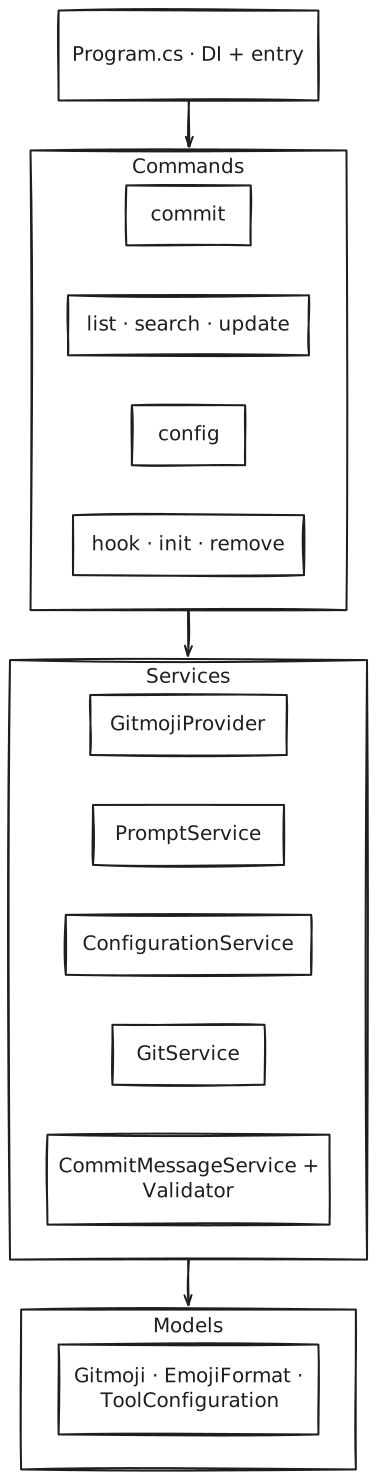
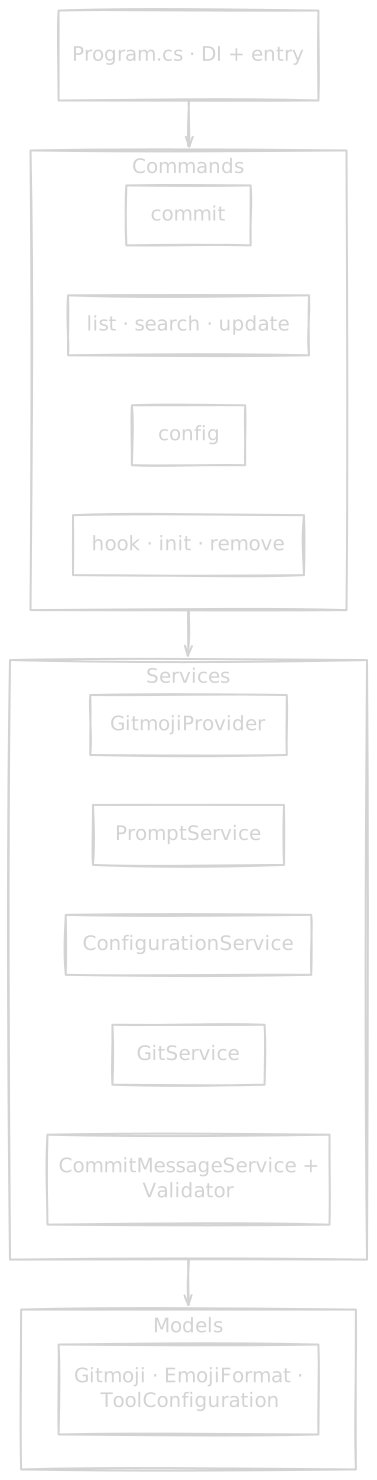
dotnet-gitmoji architecture
The architecture diagram shows what each layer owns. The sequence diagram below shows what actually runs when you commit. Both entry points converge on PromptService, which drives the fuzzy selector and then hands off to CommitMessageService to write the result. The only difference is who calls git commit at the end: in hook mode Git already has control, so the tool just rewrites the message file; in client mode GitService shells out to Git directly.
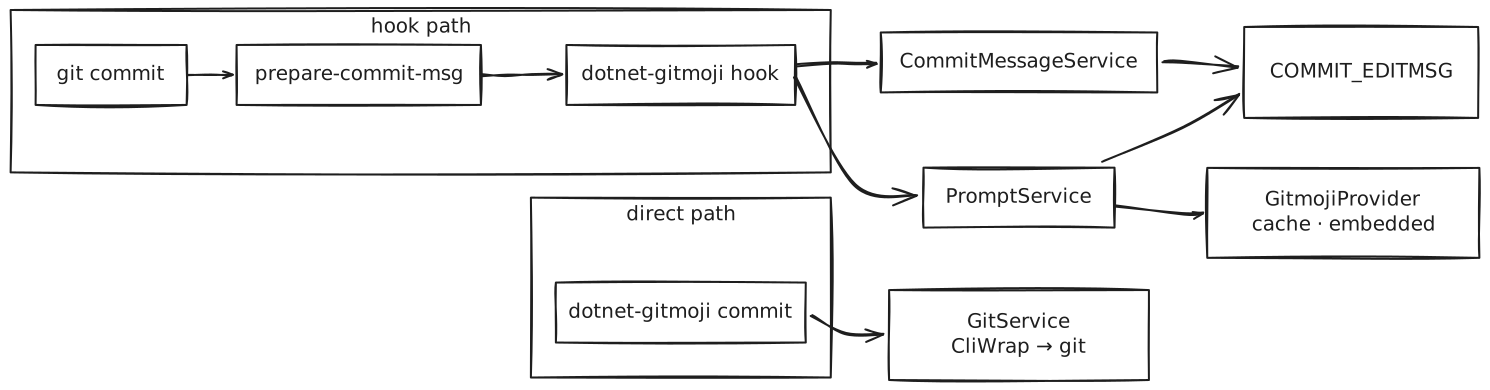
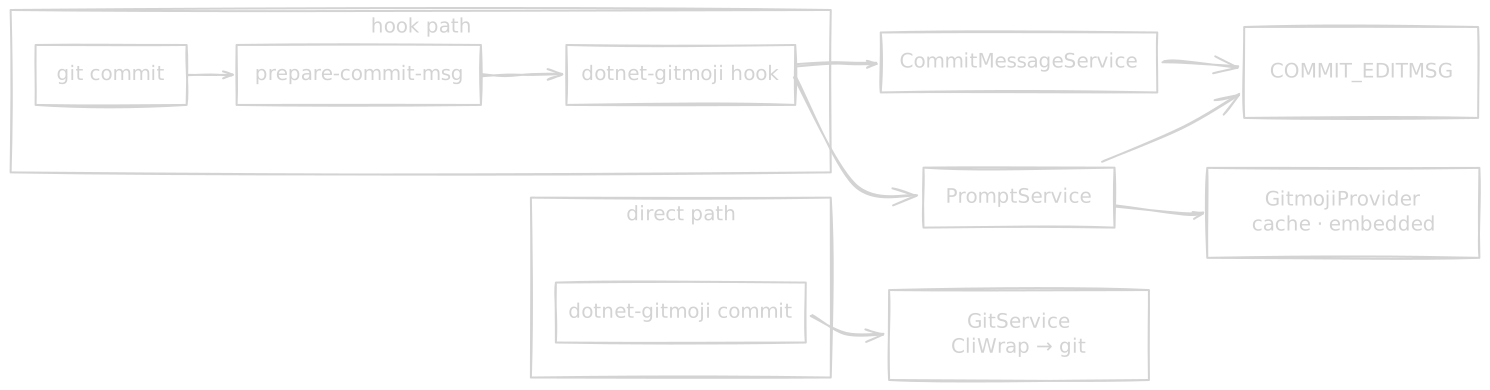
dotnet-gitmoji runtime shape
Key Features #
Hook mode. dotnet-gitmoji init --mode shell installs a Husky.Net-managed prepare-commit-msg hook that intercepts every git commit. init --mode task-runner targets repos that already use Husky.Net’s task runner, and the hook skips merge commits, squash merges, amends, and interactive rebases so automated flows are not interrupted.
Client mode. dotnet-gitmoji commit acts as a drop-in for git commit, and also supports --title, --scope, and --message for cases where you want to skip part of the prompt. It is disabled when the hook is already installed, so the emoji never gets applied twice.
Team onboarding. The shared path lives in .config/dotnet-tools.json, .husky/, and Directory.Build.targets. In repos with a project file, teammates usually only need dotnet restore or an IDE open to restore the tools and re-establish core.hooksPath through Husky.Net.
Fuzzy search and discovery. dotnet-gitmoji search <keyword> and the live picker share the same fuzzy matcher, which searches by emoji name, shortcode, and description. The picker shows a description panel alongside the list so you can see full gitmoji metadata before choosing. dotnet-gitmoji list is the non-interactive way to inspect the full catalog.
Config surface. The interactive config wizard and repo-level .gitmojirc.json expose the same knobs: emoji versus shortcode output, optional scope and message prompts, title capitalization, custom scope suggestions, auto-stage, signed commits, a custom gitmoji feed URL, emoji: title formatting via normalizeCommitFormat, and a semver badge toggle via showSemverBadge for the picker, list, and search output.
Config resolution chain. The tool reads .gitmojirc.json from the repo root (walking up parent directories to find it), and falls back to built-in defaults when it’s absent. The repo config is the single source for every shared team setting, including the title-length and convention-enforcement knobs described below; the global config’s schema is deliberately frozen to hold only the personal theme preference.
Color themes. dotnet-gitmoji config lets you pick a built-in palette, one of default, monokai, catppuccin-latte, catppuccin-frappe, catppuccin-macchiato, or catppuccin-mocha, applied across the interactive picker, prompts, and list/search output. Because .gitmojirc.json is shared with the whole team, theme is deliberately never read from it: it resolves from the DOTNET_GITMOJI_THEME environment variable, then the personal global config, then falls back to default, and NO_COLOR is honored throughout.
Commit title policy. maxTitleLength and trimTitleWhenExceeded enforce or trim overlong titles during interactive prompts, and enforceConvention rejects commits that don’t start with a gitmoji when no interactive terminal is available, covering IDE-triggered commits that bypass the prompt entirely.
Operational commands. update refreshes the cached gitmoji list, and remove handles hook teardown. For Husky.Net-managed hooks, remove prints the cleanup steps instead of silently editing .husky/ behind your back.
Local and global install parity. The tool detects whether it was installed globally or per-project, and writes the correct invocation (dotnet-gitmoji or dotnet tool run dotnet-gitmoji) into the generated hook script.
Technical challenges #
prepare-commit-msg with stdin redirected away from the terminal, so Spectre.Console’s interactive prompts refuse to draw. Without a fix, the hook fails on the very first commit.I reopen stdin from the terminal device before any code reads Console.IsInputRedirected. The tool does this in Program.Main through a TtyConsoleInput.TryReopenStdin() helper, which is a harmless no-op when stdin is already a TTY (client mode).
public static async Task<int> Main(string[] args)
{
    TtyConsoleInput.TryReopenStdin();
    // DI container and CliFx application follow
}I made InitCommand detect the installation kind at hook-generation time and write either dotnet-gitmoji hook or dotnet tool run dotnet-gitmoji hook into the script. The same logic feeds the Husky.Net shell and task-runner modes, so the three hook paths stay consistent.
// GitService.cs — detects local vs. global tool manifest at hook-generation time
private async Task<bool> IsLocalToolManifestAsync()
{
    var repoRoot = await GetRepositoryRootAsync();
    var manifestPath = Path.Combine(repoRoot, ".config", "dotnet-tools.json");

    if (!File.Exists(manifestPath))
        return false;

    var json = await File.ReadAllTextAsync(manifestPath);
    var node = JsonNode.Parse(json);
    var tools = node?["tools"] as JsonObject;
    return tools?.ContainsKey("dotnet-gitmoji") ?? false;
}

private async Task<string> BuildShellHookCommandAsync()
{
    var isLocal = await IsLocalToolManifestAsync();
    var invocation = isLocal ? "dotnet tool run dotnet-gitmoji" : "dotnet-gitmoji";
    return $"{invocation} \"$1\" \"$2\"";
}dotnet-gitmoji commit in the same repo would prefix the emoji twice. Detecting this late, at commit time, is fragile.I disabled client mode whenever the hook is detected, at the very start of CommitCommand. The message explains why and points to remove as the opt-out. One tool, one place that writes the emoji.
// CommitCommand.cs — guard at the top of ExecuteAsync
public async ValueTask ExecuteAsync(IConsole console)
{
    if (await _gitService.IsHookInstalledAsync())
    {
        await console.Error.WriteLineAsync(
            "Error: The prepare-commit-msg hook is already configured to use dotnet-gitmoji.\n" +
            "Using both hook mode and client mode would apply the emoji twice.\n\n" +
            "Either:\n" +
            "  • Use 'git commit' and let the hook handle it (hook mode)\n" +
            "  • Remove the hook from .husky/prepare-commit-msg and use 'dotnet-gitmoji commit' (client mode)");
        throw new CommandException("Cannot use client mode while hook is installed.", 1);
    }

    // ... rest of commit flow
}
The same tool-manifest detection that powers hook generation also keeps this guard aligned with local installs, so the repo and personal paths stay consistent.
gitmoji.dev/api/gitmojis. Hitting the network on every commit would be slow and fragile, but shipping a stale list penalises teams that want the newest emojis.gitmojis.default.json as a resource for the offline default, and exposed dotnet-gitmoji update to force a refresh of the cached copy under ~/.dotnet-gitmoji/. GitmojiProvider reads cache first, fetches from the API when the cache is missing or stale, and falls back to the embedded default when the network is unavailable, so the tool works fully offline..gitmojirc.json is committed and shared across the whole team, but a terminal color theme is inherently a personal preference, and background and color support vary machine to machine. Putting theme in the shared file means either imposing one contributor’s color choice on everyone, or turning it into a source of pointless merge churn..gitmojirc.json) stays the single source for everything that must be identical across the team; the personal global config’s schema is deliberately frozen to hold only theme. Resolution for theme never touches the repo config at all, resolving instead from the DOTNET_GITMOJI_THEME environment variable, then the global config, then the built-in default, and a stray key in the “wrong” file is ignored with a note on stderr rather than partially applied.What this project demonstrates #
| Area | Evidence |
|---|---|
| .NET 10 tool packaging | PackAsTool, ToolCommandName, and PackageId in DotnetGitmoji.csproj. Ships to NuGet as dotnet-gitmoji and works as either a local or global tool. |
| CLI architecture | CliFx commands resolved through DI, clean separation between Commands/, Services/, Validators/, and Models/. |
| Git interop | CliWrap wraps every git call, the tool writes prepare-commit-msg hook scripts, and it integrates with Husky.Net's shell and task-runner modes while honoring local versus global installs. |
| Team onboarding automation | Committed .config/dotnet-tools.json, .husky/, and Directory.Build.targets let the hook bootstrap during restore or IDE startup instead of through manual shell setup on every machine. |
| Terminal UX | Spectre.Console selection prompts, fuzzy search by name and shortcode, optional scope and message prompts, and client-mode flags for pre-filling commit data. |
| Themeable output | Theming/Themes.cs static registry of ThemePalette records (colors only, no layout), resolved independently of the shared-config path. NO_COLOR is honored throughout. |
| Testability | Interface-first services, xUnit unit tests, NSubstitute for doubles, and a ToolIntegrationFixture for end-to-end coverage. |
| Config layering | Repo .gitmojirc.json for every shared team setting, built-in defaults when it's absent, and a global config under ~/.dotnet-gitmoji/ that holds nothing but the personal theme preference. The config wizard writes to the repo config, sending only the theme choice to the global one. |
Results #
| Outcome | Evidence |
|---|---|
| Published on NuGet | The tool is published on NuGet as dotnet-gitmoji, which keeps installation and updates inside the standard .NET toolchain. |
| Removes the Node.js dependency | A .NET repo that wants the gitmoji convention no longer has to provision Node on every machine. The .NET SDK is enough. |
| Team-friendly onboarding | Repos can commit the tool manifest, Husky.Net hook, and restore target so teammates get the prompt back through restore or IDE startup instead of manual machine-by-machine setup. |
| Two adoption paths | Teams can enforce the prepare-commit-msg hook, while individuals can still use dotnet-gitmoji commit with flags when a repo-wide hook would be too heavy. |
| Config travels with the repo | .gitmojirc.json at the repo root is shared through Git. Personal preferences stay under ~/.dotnet-gitmoji/, and the interactive wizard fills the same config shape. |
The product read is simple: a .NET team can adopt the gitmoji convention without leaving the NuGet and MSBuild toolchain, and the same tool still works as a lighter personal CLI when a repo-wide hook would be too heavy.
Links #
- Repository: dotnet-gitmoji ➡️
- NuGet package: dotnet-gitmoji ➡️
- gitmoji convention: gitmoji.dev ➡️
- Husky.Net: Husky.Net ➡️
Photo by Tim Witzdam ➡️ on Unsplash ➡️