
This is the documentation for Monet, a small ManyChat app I built to get your contacts’ profile picture with one action, without setting up an external request yourself.
Monet calls ManyChat’s API (fb/subscriber/getInfo), so you need a ManyChat Pro account, and it counts against ManyChat’s API limits ➡️: 10 requests per second for that endpoint.
That’s enough for most bots, just be careful if you’re doing something massive.
Install Monet for ManyChat #
The link below opens the ManyChat install page. The only permission it asks for is View contact data, which it needs to read the contact’s profile picture.
Get Monet’s source code #
I built Monet as a small project to learn how ManyChat apps work, and the source is mostly a JSON configuration file.
Go to GitHub ➡️Terms and Conditions #
The «Monet App» is provided to you on an «as is» and «as available» basis without warranties or representations of any kind, express or implied. You as the user are the sole responsible for the use of the ManyChat’s API Key, what operations you do with it, and where you use it. You are aware of the limits and restrictions of using ManyChat’s API and the availability of their services. You also realize that ManyChat will stop your automations if an HTTP Error occurs.
IN NO EVENT WILL JONATHAN BÚCARO BE LIABLE TO YOU OR ANY THIRD PARTY FOR ANY DIRECT, INDIRECT, CONSEQUENTIAL, EXEMPLARY, INCIDENTAL, SPECIAL, OR PUNITIVE DAMAGES, INCLUDING LOST PROFIT, LOST REVENUE, LOSS OF DATA, OR OTHER DAMAGES ARISING FROM YOUR USE OF THE SITE, EVEN IF ADVISED OF THE POSSIBILITY OF SUCH DAMAGES.
Privacy Policy #
The «Monet App» does not track data. It’s a bridge or an interface for your ManyChat Flows to consume ManyChat’s API.
Initial Setup #
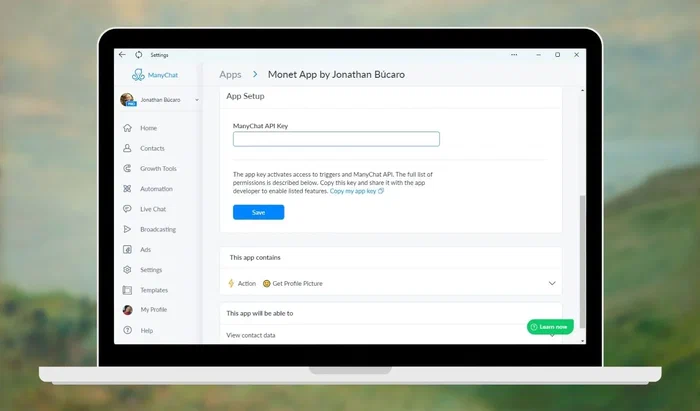
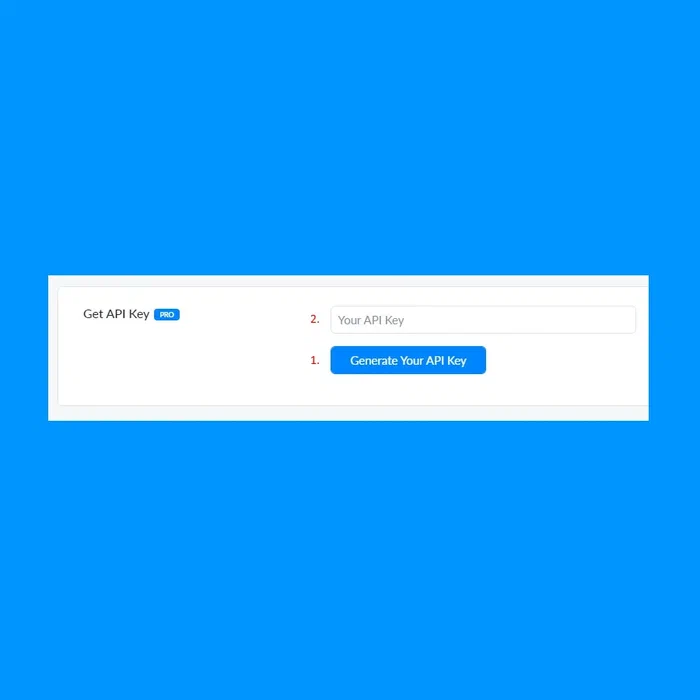
Go to your ManyChat Settings > Extensions > API. If you haven’t generated an API Key, click the Generate Your API Key button (1) and copy the contents of the Get API Key field (2). If you have previously generated your API Key, just copy it from the Get API Key field (2).
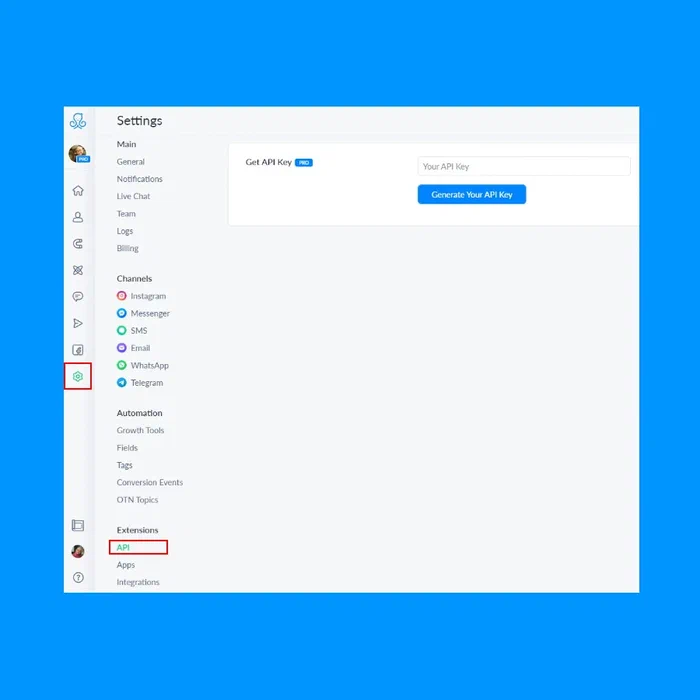
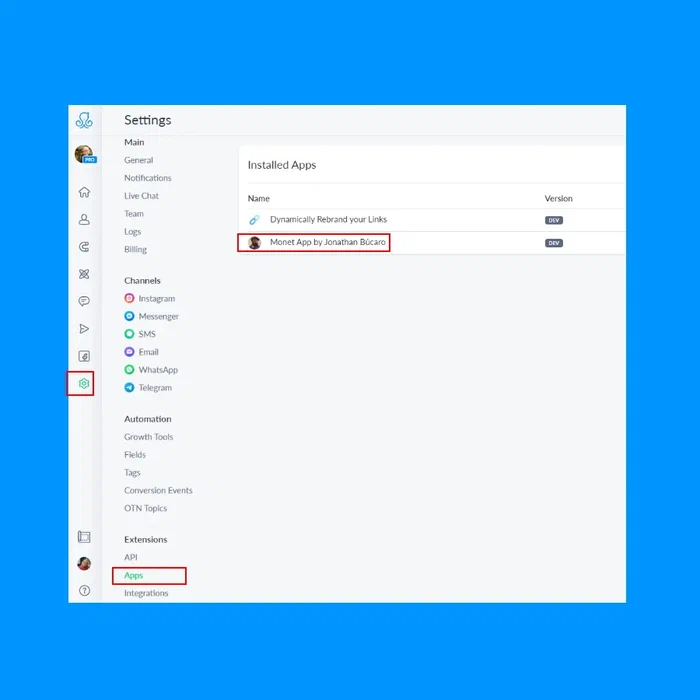
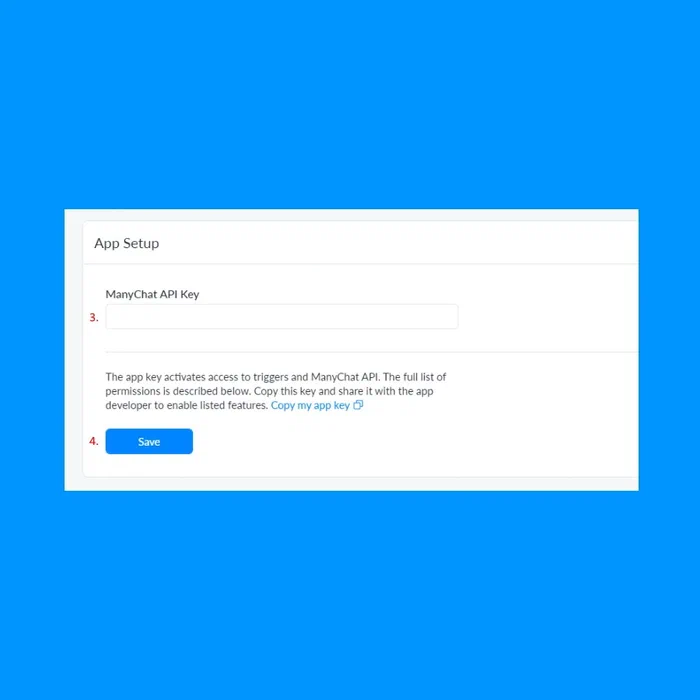
Now go to ManyChat Settings > Extensions > Apps and select the Monet App. Paste your API Key on the ManyChat API Key field (3). Click Save (4), and you’re done.
Actions #
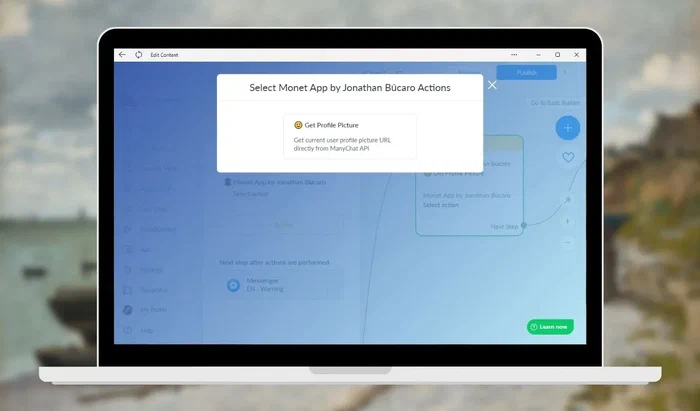
Get Profile Picture #
- The size of the picture varies with each channel
- Facebook: 200×200 px
- Instagram: 200×200 px
- Telegram: 640×640 px
- ManyChat controls when the photo is obtained, when it is updated and in what channels is available.
Output Fields #
| Field | Description |
|---|---|
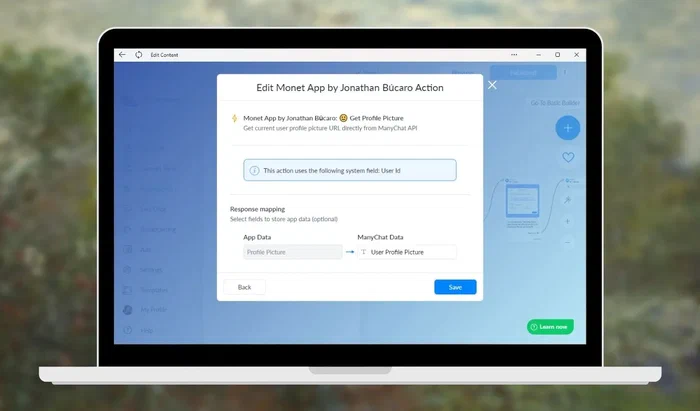
| Profile Picture | The URL to the profile picture will be in this field. Save this to the custom user field of your choice. |
Tip #
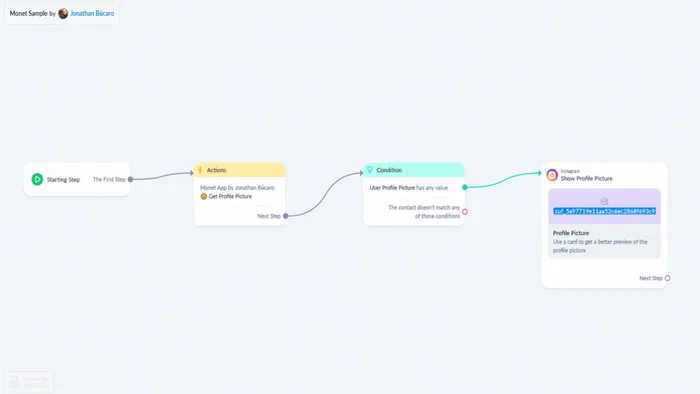
It’s safer to validate if the CUF has some value in it. If not, the following causes are the most common:
- An error occurred while consuming ManyChat’s API
- The profile picture attribute isn’t available in the channel you are using
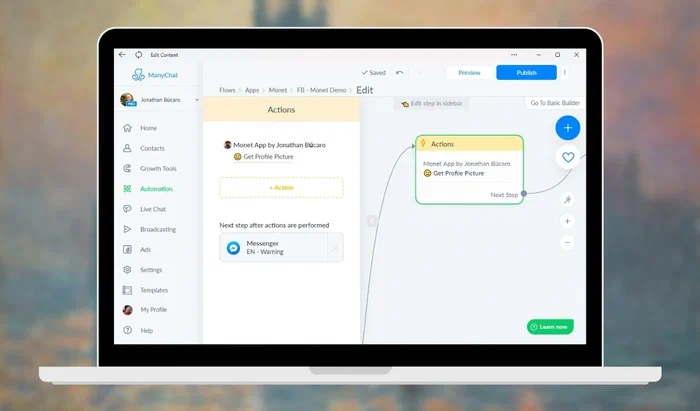
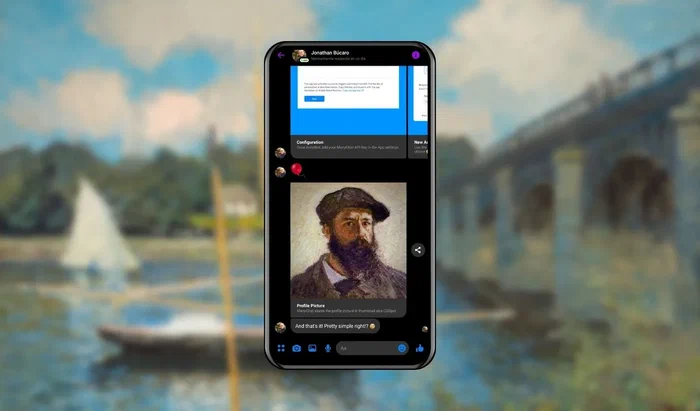
Here’s a basic flow using Monet:
The official ManyChat.com website can be found at ManyChat ➡️
I named the app after the Urban Dictionary definition of Monet:
Like Monet’s paintings… Looks good from afar – but far from good close up
Urban Dictionary ➡️
Claude Monet paintings are available in the Public Domain.