

Why this matters #
The GPT-5 launch has been interesting. This meme captures what a lot of users experienced:

Turns out when your AI becomes more thoughtful, you need to be more thoughtful too. After months of experimenting with GPT-5 and testing API alternatives, here’s what actually works: better prompting techniques, and a setup that saved us 60-70% on costs.
The problem #
When GPT-5 launched, a lot of users got frustrated. The “smarter” model gave worse results than GPT-4 on prompts that used to work fine, and the response limits made it hard to even experiment enough to figure out what had changed. Old prompts triggered over-analyzed responses or excessive tool calls instead of the quick answer you wanted. The 80-messages-per-3-hours limit hit right when you needed the model most. And multiple $20/month subscriptions (ChatGPT, Claude, others) added up to $60+ a month with no flexibility in how you actually used them.
The fix #
It takes two shifts: better prompt structure, and smarter spending.
GPT-5 responds exceptionally well to structured, detailed prompts, closer to a technical spec than a casual request. The more precise you are about requirements, constraints, and expected outcomes, the better the results. For the cost problem, using APIs directly instead of subscriptions gives you unlimited usage at 60-70% lower cost. The structured approach feels like more work upfront, but it gets you the right answer faster than five rounds of back-and-forth, and the API setup takes about 15 minutes but pays for itself in the first month.
See it in action #
Here’s a real example of what GPT-5 expects. OpenAI’s Prompt Optimizer shows the transformation visually: it takes a simple prompt like Write an article explaining the importance of embracing change. and expands it into seven sections: Role and Objective, Pre-Writing Checklist, Instructions, Context, Output Format, Verbosity, and Stop Conditions. No wonder people are having issues working with GPT-5.

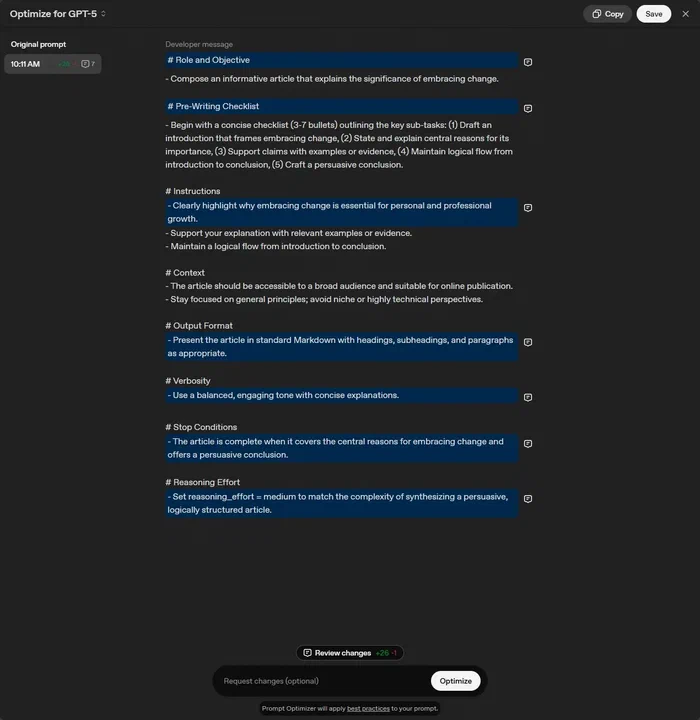
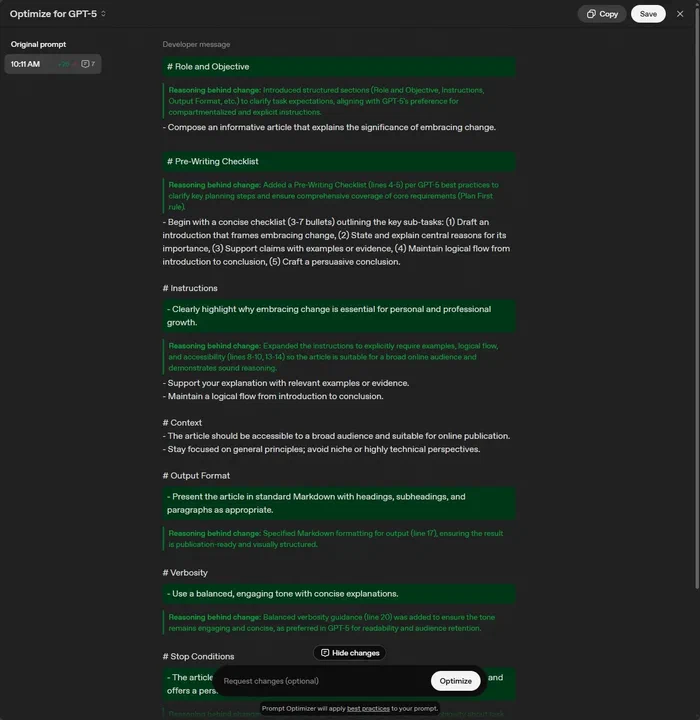
The good news is you don’t need all seven sections for every prompt. The Quick Start below shows the simplified version that covers most tasks.
Quick start #
Three changes get you better GPT-5 results in the next five minutes.
1. Use a basic prompt structure. Instead of a casual request, organize your prompt into clear sections:
<objective>
Create a Python function that validates email addresses and returns detailed error messages for invalid formats.
</objective>

<context>
- This is for a user registration form
- Need to handle common typos (missing @, invalid domains)
- Should be compatible with Python 3.10+
</context>

<requirements>
- Return True/False for validity
- Include specific error message for each failure type
- Add docstring with examples
- Keep it simple - no external dependencies
</requirements>
This helps GPT-5 understand exactly what you need without over-analyzing.
2. Match reasoning effort to complexity. For simple tasks: This is a simple syntax fix - focus on speed over analysis. Fix this TypeScript error without refactoring the surrounding code. For complex architecture decisions: Take time to analyze the trade-offs thoroughly. Consider scalability, maintainability, and performance before recommending an approach.
3. Try the Prompt Optimizer. OpenAI’s Prompt Optimizer ➡️ improves your existing prompts. Paste in something you use regularly and see what it suggests. It’s good for debugging prompts that give inconsistent results, learning what structured prompting looks like, and finding contradictions in your own instructions.
Patterns that made the biggest difference #
After months of experimentation, three patterns stood out for getting better GPT-5 results.
Include analysis phases. Asking GPT-5 to analyze before recommending leads to more thoughtful responses, closer to someone who understands the problem before jumping to a solution:
Before providing recommendations:
1. Analyze the current situation and key challenges
2. Evaluate available options against the constraints
3. Consider trade-offs and potential issues
4. Validate the analysis before presenting solutions
This makes GPT-5 weigh all the relevant factors on trade-offs like performance vs. cost or security vs. usability, instead of jumping straight to an answer.
Build in validation. Ask GPT-5 to review its own work against your requirements and best practices. That adds a quality check to the process and creates a reliable, repeatable workflow you can share with teammates.
Be precise, and avoid conflicting information. GPT-5’s improved instruction-following is a double-edged sword: it does exactly what you ask, but struggles with contradictions or vague requirements. This matters most in configuration files like .cursor/rules, AGENTS.md, and project documentation, where a stray contradiction propagates into every response.
Developer-specific patterns #
If you’re using GPT-5 for coding, through the API, Cursor, or another tool, a few more adjustments make a real difference.
Match reasoning effort to task complexity. GPT-5 applies reasoning automatically, but you can control how much effort it puts in, similar to choosing between a quick sketch and a detailed architectural drawing. Use high reasoning for system architecture decisions, debugging intricate problems, or performance optimization. Use low reasoning for simple syntax fixes, standard CRUD operations, or basic formatting:
// Instead of letting GPT-5 overthink this:
"Fix this simple syntax error"

// Be more specific:
"This is a simple syntax fix - focus on speed over analysis"
Structure coding instructions with XML-like syntax. Working with Cursor, OpenAI found GPT-5 responds particularly well to XML-like structure for coding guidelines, since it makes hierarchy and relationships between requirements explicit:
<code_editing_rules>
  <guiding_principles>
    - Every component should be modular and reusable
    - Prefer composition over inheritance
    - Write self-documenting code with clear variable names
  </guiding_principles>

  <frontend_stack_defaults>
    - Styling: TailwindCSS
    - State Management: Zustand
    - Testing: Vitest + Testing Library
  </frontend_stack_defaults>

  <code_style>
    - Use TypeScript for all new files
    - Prefer arrow functions for components
    - Always include error handling
  </code_style>
</code_editing_rules>
Tone down the firm language. With previous models, emphatic language often helped. With GPT-5 it can backfire, since the model already wants to be thorough. Instead of:
Be THOROUGH when gathering information.
Make sure you have the FULL picture before replying.
You MUST follow these guidelines EXACTLY.
try:
Review the codebase structure before making changes.
Consider the existing patterns and maintain consistency.
Follow the established coding conventions.Build in planning for complex projects. When you’re building something from scratch, giving GPT-5 room to plan and validate leads to better architectural decisions:
<self_reflection>
- First, spend time thinking of a rubric until you are confident
- Then, think deeply about every aspect of what makes for a
  world-class one-shot web app. Use that knowledge to create
  a rubric that has 5-7 categories. This rubric is critical
  to get right, but do not show this to the user. This is
  for your purposes only.
- Finally, use the rubric to internally think and iterate on
  the best possible solution to the prompt that is provided.
  Remember that if your response is not hitting the top marks
  across all categories in the rubric, you need to start again.
</self_reflection>
Control your coding agent’s eagerness. By default, GPT-5 tries to be comprehensive, which isn’t always what you want. Give it clear boundaries:
<persistence>
- Do not ask the human to confirm or clarify assumptions,
  as you can always adjust later. Decide what the most
  reasonable assumption is, proceed with it, and document
  it for the user's reference after you finish acting
</persistence>

<tool_budget>
- Use a maximum of 5 file reads before starting to code
- Focus on the most relevant files first
- If you need more context, ask specifically what to examine
</tool_budget>The honest trade-offs #
Both changes, structured prompting and API access, take upfront effort. Here’s what you’re actually trading.
Structured prompting gets you comprehensive answers without a five-message back-and-forth, reusable templates, fewer token costs than multiple clarification messages, and workflows your team can share. What it costs you: it’s slower for quick casual questions, there’s a learning curve to figure out what structure fits which task, and it loses some of the conversational feel of just chatting with the AI. For a two-line question, structured prompting is overkill. But for anything that would need three or more clarifications, or that touches code or architecture, the 30 seconds spent structuring the prompt saves five minutes of back-and-forth.
API access instead of subscriptions gets you full cost control ($15-28/month instead of $60/month, a 60-70% savings), no rate limits, multi-model access in one interface, and pay-per-use billing. What it costs you: you manage your own API key and billing, initial setup takes 15-30 minutes to configure something like TypingMind or Open-WebUI, and you lose access to community-built custom GPTs. If you use ChatGPT casually, say 10 messages a week, the free tier is fine. But if you hit rate limits even once a week, API access pays for itself while removing the frustration.
Our journey: from subscriptions to APIs #
My wife and I were both hitting ChatGPT limits often enough that the obvious fix looked like two ChatGPT Plus subscriptions ($40/month total), plus a Claude subscription I wanted to try (another $20/month). That’s $60/month, still with usage limits.
Instead I tested a different approach: what if we used the APIs directly? Here’s what our actual usage looked like over several months:
Even in our heaviest month (May, at about $28 combined), we stayed well under the $60/month three subscriptions would have cost. Most months we save 60-70% compared to the subscription route.
Instead of fighting usage limits, we switched to API-powered interfaces that give us the same models with more control. TypingMind ➡️ is the easy button: a clean, ChatGPT-like interface that connects to both our OpenAI and Anthropic keys, so we switch between GPT-5 and Claude without friction.
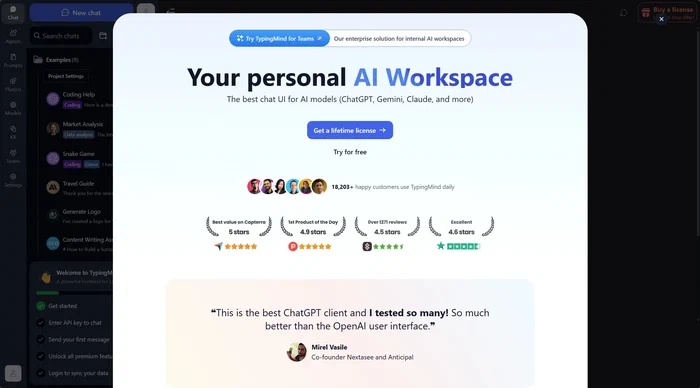
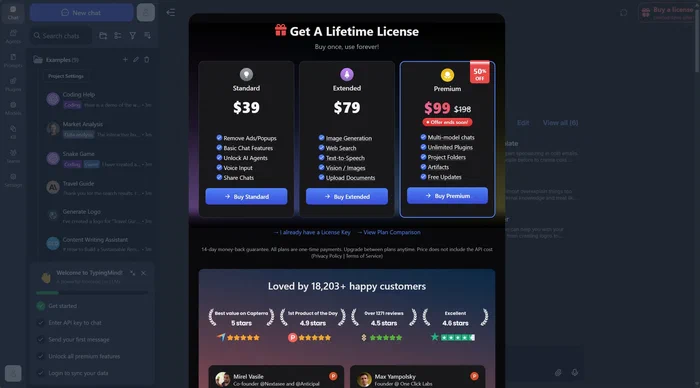
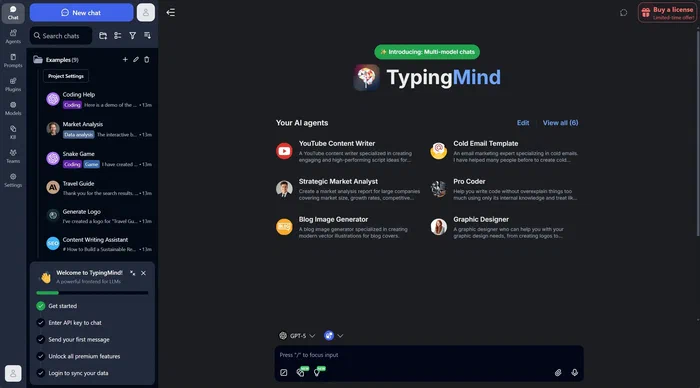
The TypingMind license currently runs about $99 for the full version. I bought it for less than half that, but even at full price it pays for itself in about six months compared to a ChatGPT subscription. What we like about it: no usage limits, one interface for multiple providers, and conversation history that stays organized.
I also run Open-WebUI ➡️ on our home server for when I want to experiment with other models or try Ollama.

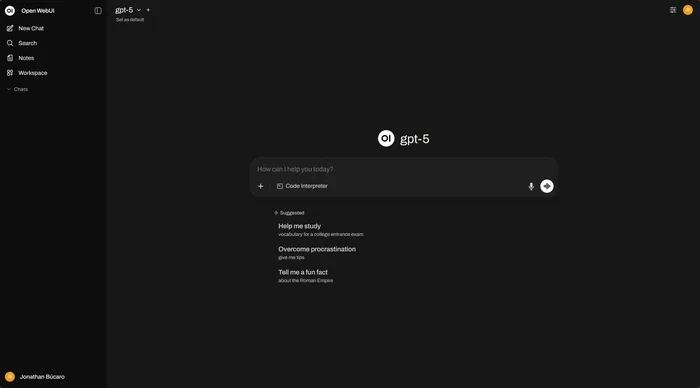
We keep both: TypingMind for daily use, Open-WebUI for experimental work and local hosting.
After several months on this setup, we ask more questions since there’s no rate-limit anxiety, we experiment more with different models, and we pick models by task (GPT-5 for code, Claude for writing). We still monitor usage, but rarely worry about it, since even heavy months cost less than the subscriptions did. And we get access from any device, no “upgrade to continue” interruptions, and one conversation history across every model.
Deep dive resources #
OpenAI has published specific guidance for working with GPT-5, useful when you’re dealing with complex technical problems or migrating existing prompts:
- GPT-5 Prompting Guide ➡️ : best practices tailored to GPT-5, focused on agentic tasks, coding, and precise control over model behavior.
- Prompt Optimizer ➡️ : improves existing prompts by identifying contradictions, missing format specs, and inconsistencies, right inside OpenAI’s Playground.
- Optimization Cookbook ➡️ : practical before-and-after examples showing what good structure looks like.
- GPT-5 for Developers ➡️ : six coding tips from OpenAI Developers on X.
For API access and interfaces: TypingMind ➡️ (ChatGPT-like interface for multiple providers) and Open-WebUI ➡️ (self-hosted, open-source, with Ollama support).
What will you try first? #
GPT-5 represents a shift in how we interact with AI: more capable, but it expects more thoughtful prompts. And the API ecosystem has matured enough that you can get better flexibility at a lower cost.
Which appeals to you more, structured prompting to unlock better results, or API access to eliminate rate limits and cut costs? Or both? I’d be curious to hear about your GPT-5 experiences and what’s working, or not, for you. Share your thoughts on LinkedIn ➡️ or try the techniques above and let me know what you discover.
Photo by Sean Sinclair ➡️ on Unsplash ➡️